Percentages are everywhere in everyday life. You see them in discounts, salary increases, business profits, price changes, exam scores, and even exchange rate movements.
But many people still get confused when trying to calculate percentage increase or percentage decrease. They are not sure whether to multiply, divide, subtract, or what formula to use.
The good news is that percentage calculations are actually very simple once you understand the logic behind them.
In this guide, you will learn:
- What percentage increase means
- What percentage decrease means
- The exact formulas to use
- Step-by-step examples
- Common mistakes to avoid
By the end of this article, you will be able to calculate percentage changes confidently without confusion.
What Is Percentage Increase?
Percentage increase shows how much a value has grown compared to its original amount. It tells you how much something has gone up in relation to where it started.
For example, if your salary moves from 100,000 to 120,000, it has increased. But by how much in percentage terms? That is what percentage increase helps you measure.
Instead of just saying the salary increased by 20,000, percentage increase tells you how big that increase is relative to the original 100,000.
The formula for percentage increase is:
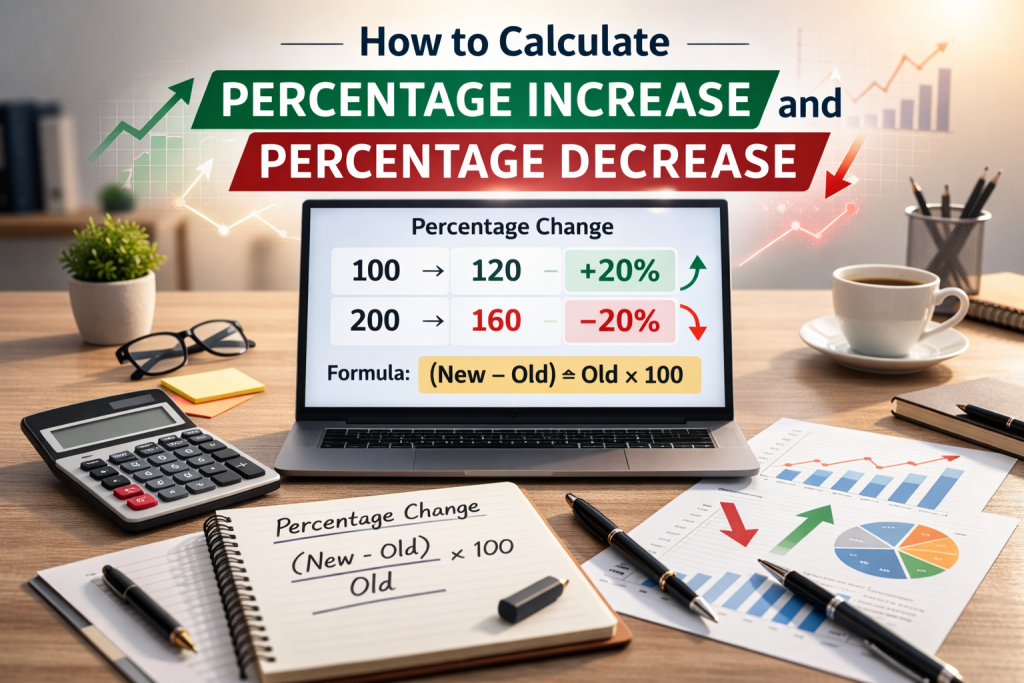
(New Value − Old Value) ÷ Old Value × 100
Let’s break it down in simple steps:
- Subtract the old value from the new value.
- Divide the result by the old value.
- Multiply by 100 to convert it to a percentage.
Using our example:
Old value = 100,000
New value = 120,000
Step 1: 120,000 − 100,000 = 20,000
Step 2: 20,000 ÷ 100,000 = 0.2
Step 3: 0.2 × 100 = 20%
So the salary increased by 20%.
Percentage increase helps you compare changes properly. A 20,000 increase may look large, but the percentage tells you how significant that change really is.
Next, let’s explain percentage decrease in the same simple way.
What Is Percentage Change?
Percentage change is a general term that measures how much a value has moved compared to its original amount. It can represent either an increase or a decrease.
Instead of using two separate formulas for increase and decrease, percentage change uses one main formula:
(New Value − Old Value) ÷ Old Value × 100
If the result is positive, it means there is a percentage increase.
If the result is negative, it means there is a percentage decrease.
Let’s look at two quick examples.
Example 1: Increase
Old value = 200
New value = 250
Step 1: 250 − 200 = 50
Step 2: 50 ÷ 200 = 0.25
Step 3: 0.25 × 100 = 25%
The result is positive, so this is a 25% increase.
Example 2: Decrease
Old value = 200
New value = 160
Step 1: 160 − 200 = −40
Step 2: −40 ÷ 200 = −0.2
Step 3: −0.2 × 100 = −20%
The result is negative, which means there is a 20% decrease.
Percentage change is especially useful when tracking:
Exchange rate movements
Business profits and losses
Stock prices
Sales growth
Population changes
Instead of guessing whether something moved “a lot” or “a little,” percentage change gives you a clear measurement.
Next, we’ll walk through real-life examples people actually search for online, like discounts and salary increases.
Real-Life Examples of Percentage Increase and Decrease
Understanding the formula is good, but seeing real-life examples makes everything clearer. Below are common situations where people use percentage calculations every day.
1. Calculating a Discount
Imagine a product costs 80,000 and there is a 15% discount.
First, calculate 15% of 80,000:
15 ÷ 100 × 80,000 = 12,000
Now subtract the discount from the original price:
80,000 − 12,000 = 68,000
So the final price after the discount is 68,000.
This is a percentage decrease because the price went down.
2. Salary Increase
Suppose your salary increases from 150,000 to 180,000.
Step 1: 180,000 − 150,000 = 30,000
Step 2: 30,000 ÷ 150,000 = 0.2
Step 3: 0.2 × 100 = 20%
Your salary increased by 20%.
3. Exchange Rate Movement
Assume the exchange rate moves from 1,400 to 1,500.
Step 1: 1,500 − 1,400 = 100
Step 2: 100 ÷ 1,400 = 0.0714
Step 3: 0.0714 × 100 = 7.14%
The exchange rate increased by about 7.14%.
4. Business Revenue Drop
A company’s monthly revenue falls from 5,000,000 to 4,250,000.
Step 1: 5,000,000 − 4,250,000 = 750,000
Step 2: 750,000 ÷ 5,000,000 = 0.15
Step 3: 0.15 × 100 = 15%
Revenue decreased by 15%.
These examples show how percentage calculations apply to everyday financial decisions. Instead of guessing whether a change is big or small, percentage gives you a clear comparison.
If you do not want to calculate manually, you can use the Percentage Calculator on GlimTV Tools to get instant results.
Next, we’ll look at common mistakes people make when calculating percentage changes.
Common Mistakes When Calculating Percentage Increase or Decrease
Even though the formula for percentage change is simple, many people still make small mistakes that can lead to wrong answers. Here are the most common ones and how to avoid them.
1. Using the Wrong Base Value
The biggest mistake people make is dividing by the wrong number.
Always divide by the old value, not the new value.
For example, if a price increases from 100 to 120:
Correct formula:
(120 − 100) ÷ 100 × 100
Wrong formula:
(120 − 100) ÷ 120 × 100
Dividing by the new value will give you the wrong percentage.
2. Mixing Up Increase and Decrease
For increase:
New − Old
For decrease:
Old − New
If you reverse them, your answer may become negative or incorrect.
3. Forgetting to Multiply by 100
After dividing, you must multiply by 100 to convert the decimal into a percentage.
If you stop at 0.2, the answer is not 0.2%.
It is 20%.
4. Rounding Too Early
If you round your numbers too soon, the final result may not be accurate. It is better to complete the full calculation first and round at the end.
5. Ignoring Context
Sometimes a 5% change looks small, but in large amounts of money, it can mean a big difference. Always consider what the percentage represents in real value.
To avoid these mistakes, many people prefer using a calculator tool instead of doing everything manually. A percentage calculator reduces errors and gives instant results.
Next, we’ll explain how to calculate percentage changes quickly without memorizing complicated formulas.
How to Calculate Percentage Changes Quickly Without Stress
You do not always need to memorize formulas to calculate percentages. There are simple mental shortcuts you can use in everyday situations.
Quick Method for Percentage Increase
- Find the difference between the new value and the old value.
- Ask yourself: what fraction is this difference of the original number?
For example:
Old price = 100
New price = 120
The difference is 20.
20 is one-fifth of 100.
One-fifth equals 20%.
So the increase is 20%.
This works easily when numbers are clean and simple.
Quick Method for Discounts
If you want to find 10% of something, just move the decimal point one place to the left.
Example:
10% of 50,000 = 5,000
From there, you can build other percentages:
5% is half of 10%
20% is double 10%
15% is 10% + 5%
This makes mental math easier when shopping or estimating quickly.
When to Use a Calculator Instead
Mental shortcuts work for simple numbers. But when dealing with:
Large business amounts
Exchange rate movements
Investment returns
Salary adjustments
Precise financial decisions
It is better to use a proper calculator.
Using a reliable percentage calculator ensures accuracy, especially when decimals are involved.
Next, we will wrap up this guide with a strong summary and connect it naturally to your calculator tool.
Final Thoughts on Percentage Increase and Decrease
Percentage increase and percentage decrease are simple once you understand the logic behind them. Everything starts from the original value. You measure how much the number changed, then compare that change to where it began.
If the result is positive, it means there was growth.
If the result is negative, it means there was a reduction.
These calculations are useful in many real-life situations:
Salary adjustments
Business profits and losses
Exchange rate movements
Store discounts
Investment returns
Revenue tracking
Instead of guessing whether a change is small or large, percentage gives you a clear comparison. It shows the true size of the movement relative to the starting value.
If you want to avoid mistakes and save time, you can use the Percentage Calculator on GlimTV Tools. It allows you to calculate:
Percentage increase
Percentage decrease
What percent one number is of another
X percent of a number
Using the right tool makes financial decisions easier and more accurate.